
10 June 202638:18618 views on YouTubeWatch on YouTube
The reason most eFoil footage looks flat is that it was shot from the board. Travelling with your subject removes any sense of speed, and a close throw camera cannot pick up the texture of the water further out. Drones fix that and introduce a new problem: someone has to be good at flying one. This episode is the setup and first flight of a drone built around removing that requirement. There is no riding in it, it is the tutorial.
A camera that happens to fly
The Antigravity A1 comes from the same company behind the 360 action cameras used for most of the handheld and hip mounted footage on this channel, and it works the same way in the air: it records everything around it, and you choose where the camera points afterwards in editing. The practical consequence is that you stop worrying about aiming. Fly it near the subject and the framing decision moves to the edit, where reframing an hour of footage is closer to tedious than difficult. The one design quirk to plan around is that it does not fly backwards, which it does not need to, but it does mean you cannot spin the view to look behind while flying.
The settings worth getting right
The strongest advice given here is to avoid shooting 10 bit unless you genuinely grade footage for a living. Professional use of 10 bit is about giving a post team room to rescue exposure and temperature, and if your video is going to YouTube or Instagram, that latitude never survives the upload while the file handling costs you the whole way. The in camera colour processing is built to look the way most people want their video to look, and this drone holds exposure well unless you point it at the sun. Two hardware habits also come up: put the drone down on its feet so the domed 360 lenses never touch a surface, and record to a card rather than to internal storage so your footage is never trapped on the device.
Goggles, avoidance and props
The controller is single handed and deliberately simple, left and right, up and down, and a trigger for speed, which is what makes it flyable by someone who is not a pilot. The FPV goggles matter more than they look: you are almost always shooting outdoors in bright light, and no screen is bright enough to fight that. Obstacle avoidance here is mostly optical, using the 360 camera with some assistance from other sensors, and it performs well. The props are free rather than ducted, which keeps the aircraft quieter, lighter and longer flying, at the cost of being something you would not thread through trees.
Programming a Sky Path
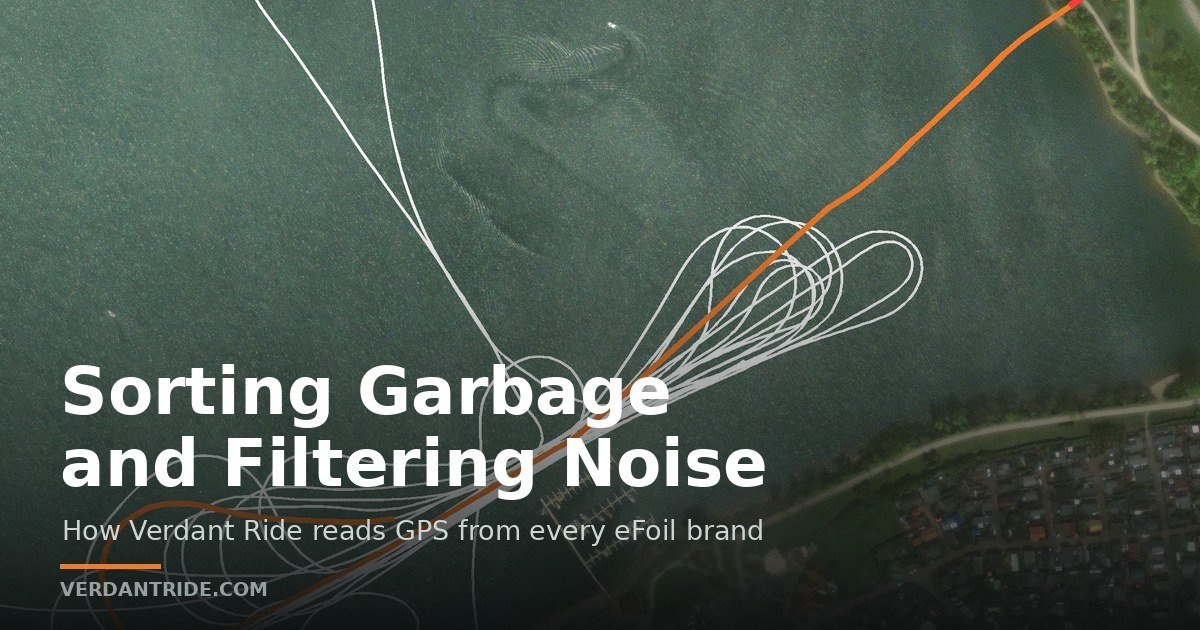
The centrepiece is the autonomous flight. You fly the route once, dropping waypoints as you go, including deliberate zigzags so the drone crosses over and past you and captures both sides of a pass. Save it, set a speed, and it flies the route itself while whoever holds the controller simply keeps a hand on it and intervenes if something goes wrong. Two limits are worth knowing before you plan a route: setting the flight speed too high switches obstacle avoidance off, and the speed applies to the whole path rather than segment by segment. Speeds are given in metres per second with no imperial option, which is an irritation rather than a problem. Path following over water proved accurate, which is the part that actually matters when the shot depends on the drone being exactly where it was last time.
Chapters
- 00:00 Why this changes eFoil filming
- 03:11 Today's sponsor: BAWLS
- 03:57 Unboxing – the drone itself
- 04:44 Why most people should NOT shoot 10-bit
- 06:44 The one thing to never do to a 360 lens
- 07:44 Batteries & flight time
- 08:37 The easiest-to-fly controller ever
- 10:18 The goggles & why FPV beats a screen outside
- 11:09 Obstacle avoidance (360 optical)
- 11:40 Ducted vs. free props
- 13:15 Programming a Sky Path (autonomous flight)
- 16:03 Powering up & focusing the goggles
- 19:13 Takeoff
- 20:15 Building the waypoint route
- 28:14 The metric-only speed problem
- 32:21 Mission complete + dialing in speed
- 33:04 Second flight
- 36:51 Landing
Subscribe on YouTube Every episode